

Documate vs Confluence
Considering Confluence vs Documate?
We’ve put together a side-by-side comparison of features and user experience to help you decide.
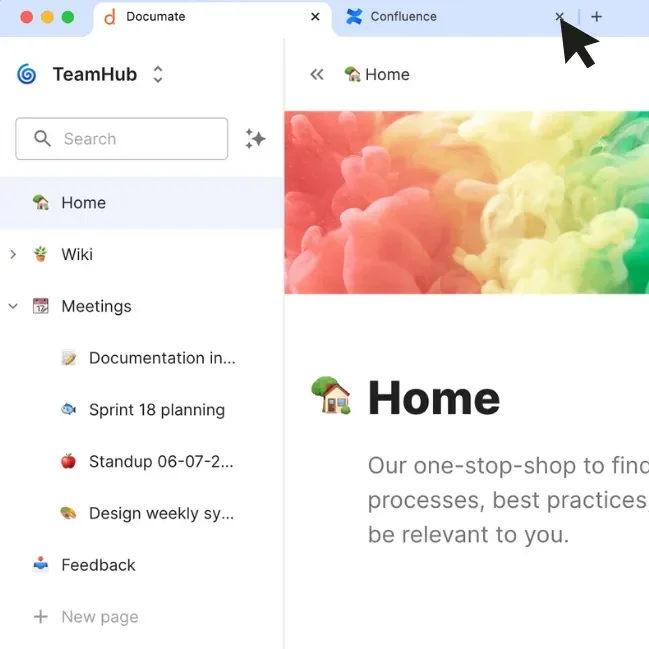
Why choose Documate over Confluence?
Deep integration with ServiceNow
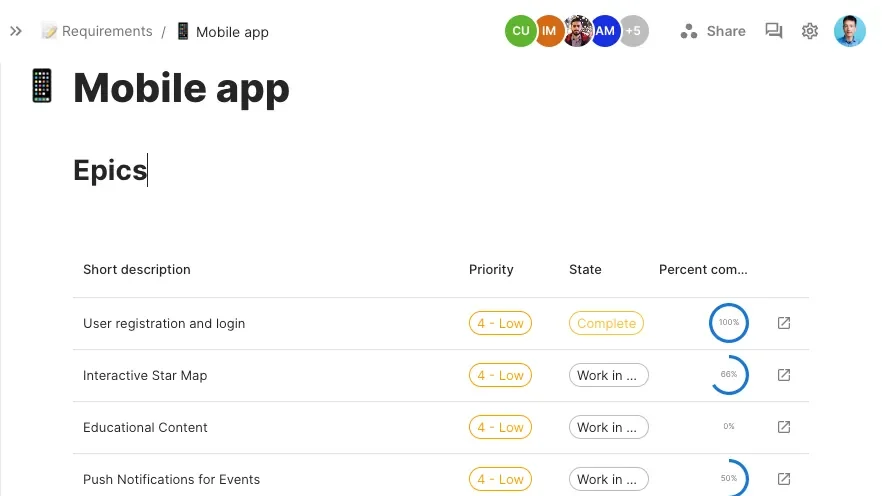
Documate integrates deeply with ServiceNow, allowing you to pull live data (records, lists, reports) directly into your documentation.
No more copy-pasting or building integrations.
Your documentation is always up-to-date with the latest ServiceNow data.
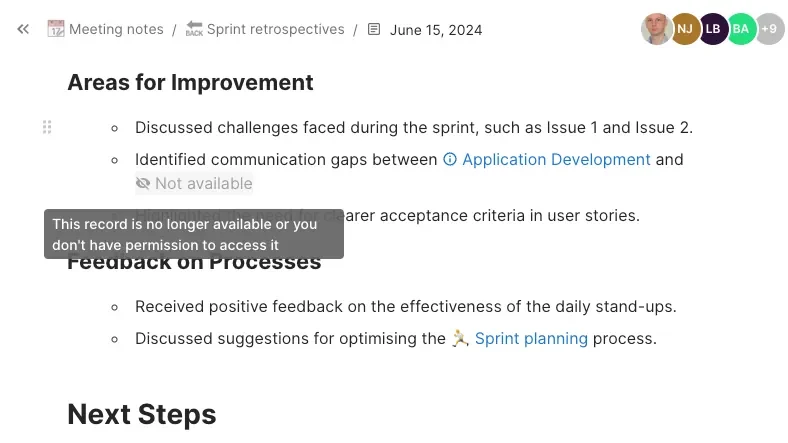
Enhanced data security
Documate uses ServiceNow’s own access control lists, so your data stays secure and visible only to authorised users.
Sensitive records stay locked down, exactly as they are in ServiceNow.
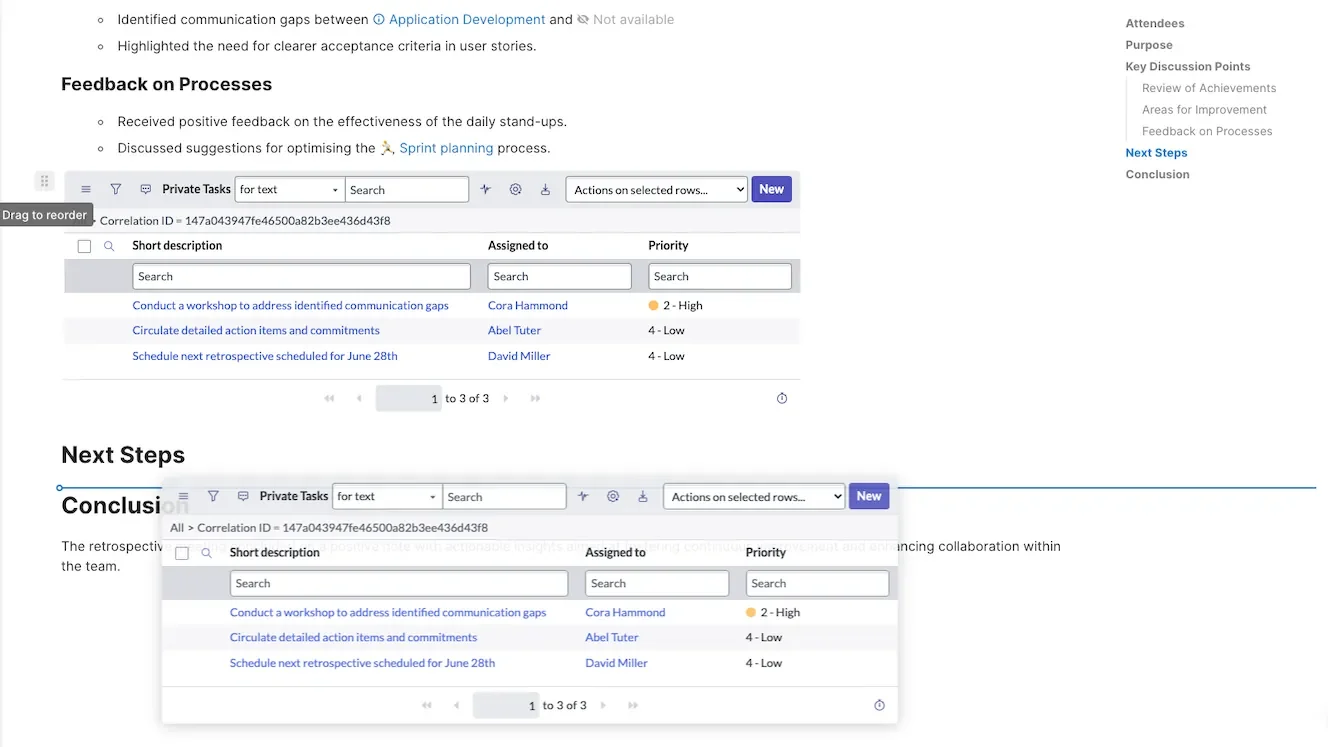
Intuitive drag-and-drop editor
Documate’s drag-and-drop editor makes it easy to create and organise your documentation without dealing with complex menus or formatting options.
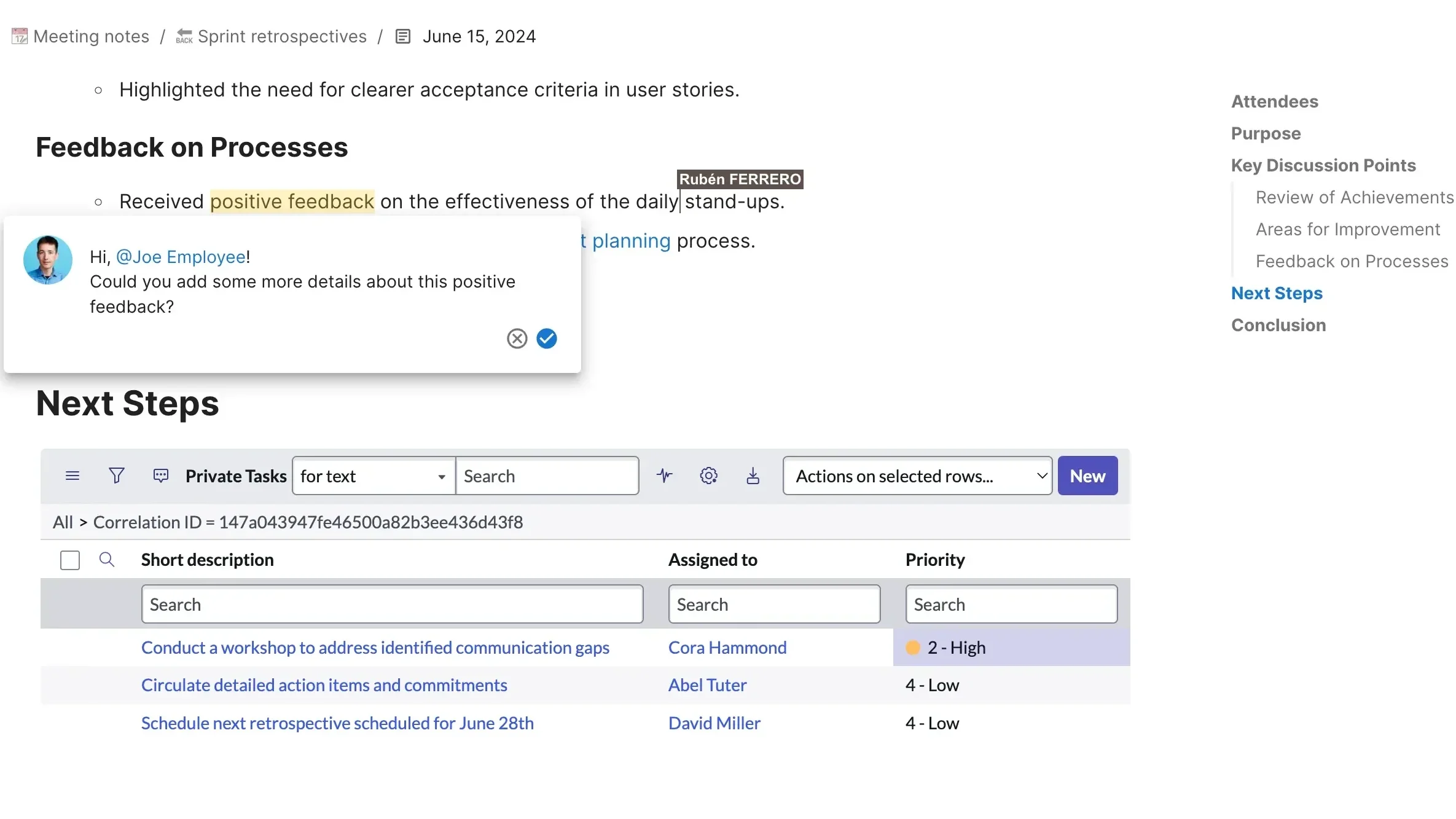
Real-Time collaboration
We are all tired of the cycle of checking out, editing, saving and viewing for just a small change.
Documate offers real-time collaboration, without choosing between limited editors or reloading to see changes.
It’s designed to be more intuitive and easier to use, reducing the learning curve for new and non-technical users.
Documate and Confluence compared
Traditional documentation tools can be over-engineered and slow, leading to outdated content and low engagement.
Documate is a contemporary solution designed specifically to integrate with ServiceNow. It offers enhanced features for real-time collaboration and data security
Check out how Documate measures up to Confluence.
| Documate | Confluence | |
|---|---|---|
| Integration with ServiceNow | ✓ | Limited (via connectors) |
| ServiceNow live data (records, lists, reports) | ✓ | ✗ |
| Secured data (Access control list) | ✓ | ✗ |
| Real-time collaboration | ✓ | ✓ |
| Drag-and-drop editor | ✓ | ✗ |
| AI-powered assistant | ✓ | Limited |
| Integration with other apps | ServiceNow integrations | Atlassian tools (Jira, Trello, etc.) |
Bottom line
There is no definitive “winner” between these two tools. The best choice depends on your requirements and preferences.
Documate is ideal if…
- You need deep integration with ServiceNow.
- You require secure documentation with granular access controls.
- You value ease of use and a drag-and-drop editor.
Confluence might be better if…
- You use other Atlassian products and want tight integration with them.
- You need granular control over formatting and layouts.
Armed with this knowledge, we hope this guide helps you understand how Documate compares to Confluence. Still have questions? Contact us. We’re here to help!