
Free utilities for the
ServiceNow community
Three utilities that cut the clicks out of everyday ServiceNow work. Install in minutes.
One friction. One fix.
Each utility tackles a single annoyance: navigating to list views, visualising table relationships, or clearing the UI shell. Install from ServiceNow Share and save a few clicks every time.
No setup, no dependencies, no cost.
The utilities
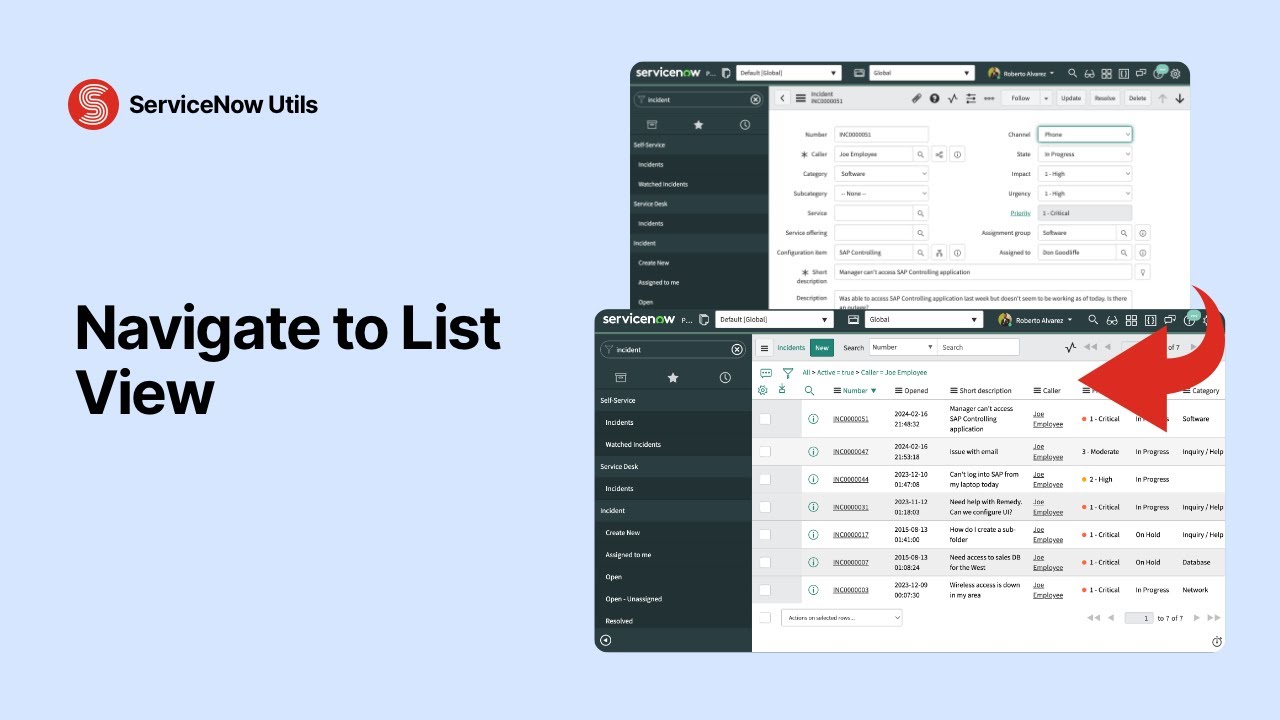
Navigate to List View
Adds a "Go to List" button to the top bar on every record form. Jump to the list view of the same table, with your original filters preserved.
- check_circle Button appears on every record form
- check_circle Preserves the filters you used to get there
- check_circle Available to all users
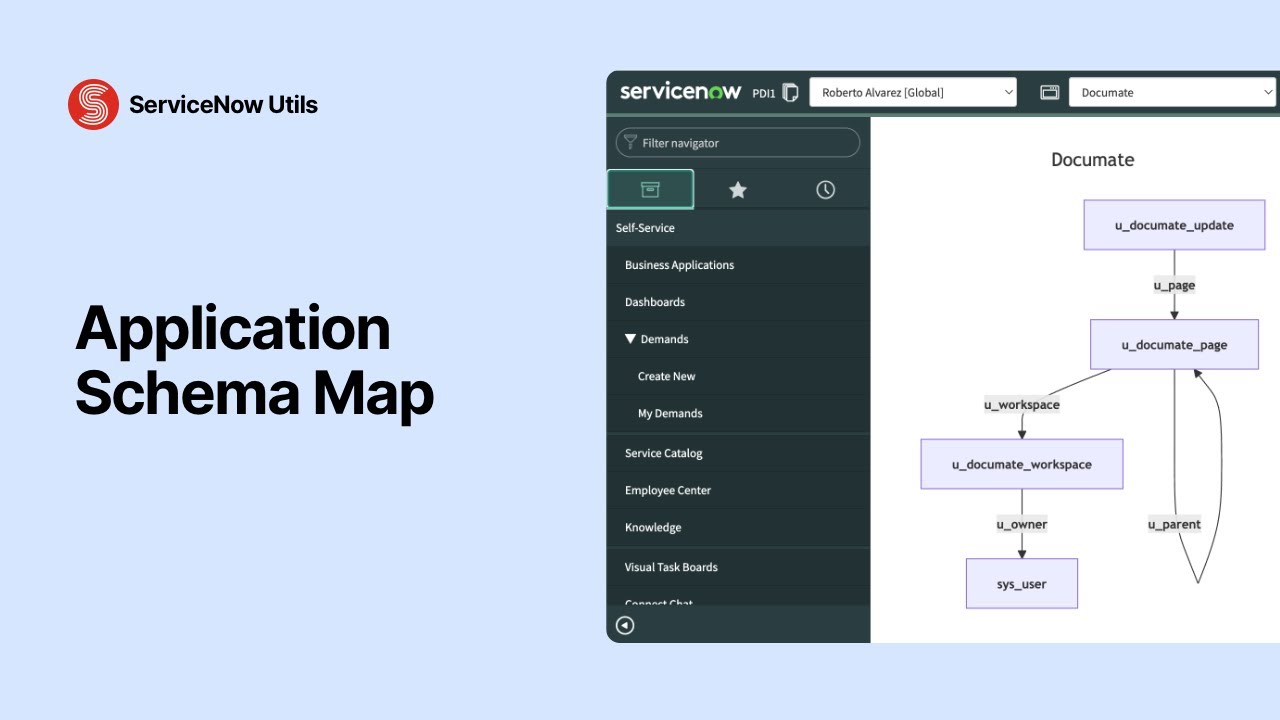
Application Schema Map
Adds a "Show Schema Map" related link to the Application form. Generates a visual diagram of the tables in an application and how they connect.
- check_circle One-click from the Application (sys_scope) form
- check_circle Visual diagram of tables and relationships
- check_circle Useful for onboarding, reviews and debugging
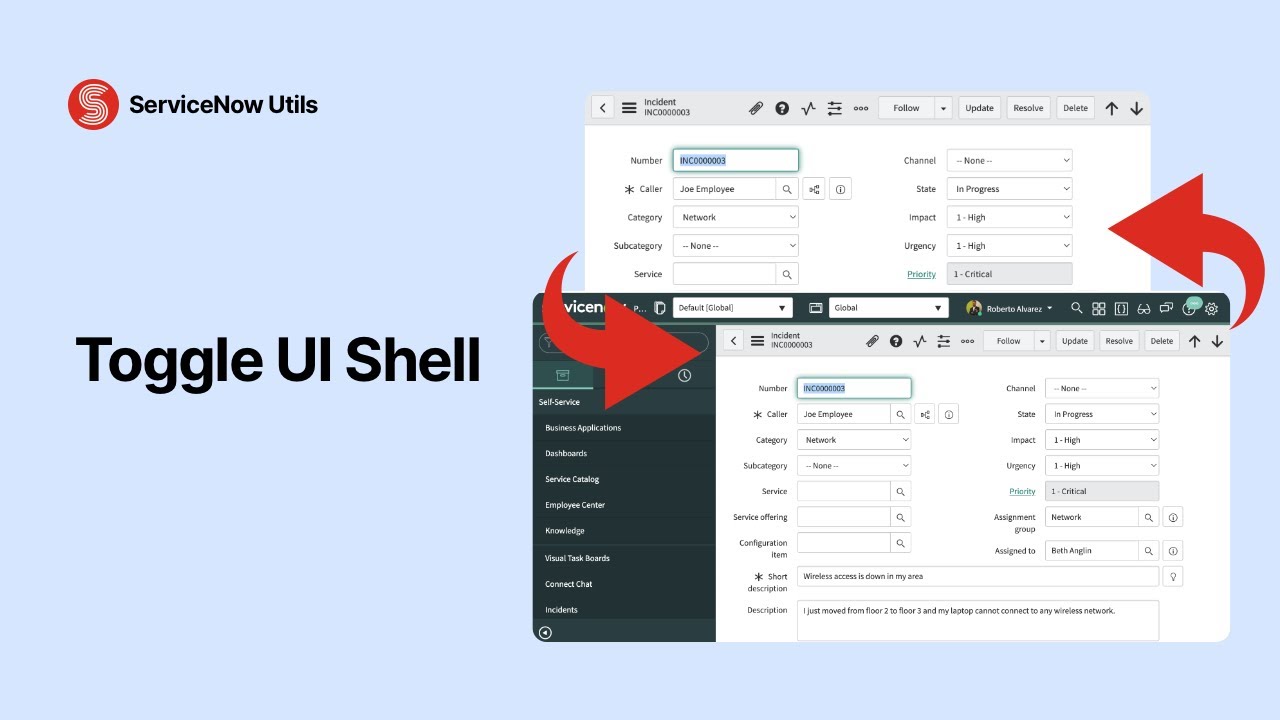
Toggle UI Shell
Adds a toggle button to the top bar on all forms and lists. Show or hide the UI shell to switch between the full interface and a content-only view.
- check_circle Button on the top bar of every form and list
- check_circle Content-only view when you need to focus
- check_circle One click to restore the full interface
Back to the list
You filter a list, open a record, and now you want the list back. Go to List sits in the top bar of every record form and takes you straight there, filters still applied. No back button, no rebuilding the query.
Map any application
Inherited an app you didn’t build? Show Schema Map, a related link on the Application form, draws a diagram of its tables and how they connect. Read the structure in seconds instead of opening tables one by one.
Hide the shell
One button in the top bar hides everything except the form or list you’re working on. Click it again and the full interface comes back. Made for demos, screenshots and cramped laptop screens.
Why we share these for free
We spend our days inside ServiceNow. These utilities started as shortcuts we built for ourselves, so we put them on ServiceNow Share for anyone to use.
Free, no strings attached
Every tool is published on ServiceNow Share at zero cost. Install and go.
Built to save time
Each utility does one thing well. No configuration, no dependencies.
Community-driven
Every idea comes from daily platform work. Got a suggestion? We’re listening.
Maintained and updated
We keep utilities compatible with new ServiceNow releases.
Have an idea for a utility?
We build these from real pain points. Tell us what slows you down and we might build it next.