


Authored by Joe Employee
Helpful?
ServiceNow's built-in import only takes Word. Importmate brings PDF, Excel and PowerPoint in too. Headings, tables and images come across structured, not flattened.

Turn PDFs, Word, Excel and PowerPoint documents into KB articles

Most of an organisation's knowledge lives in PDFs, spreadsheets and decks. ServiceNow's built-in import doesn't accept any of those formats. Importmate closes the gap so Now Assist and KB-grounded virtual agents can use that content.
Headings, tables, images, lists, links and tables of contents come across structured. Articles are immediately readable, not one long block of text.
PDF, Word, Excel and PowerPoint. The built-in import only accepts Word.
Now Assist and AI search work best on content inside your Knowledge Base. Importmate puts your legacy docs there.
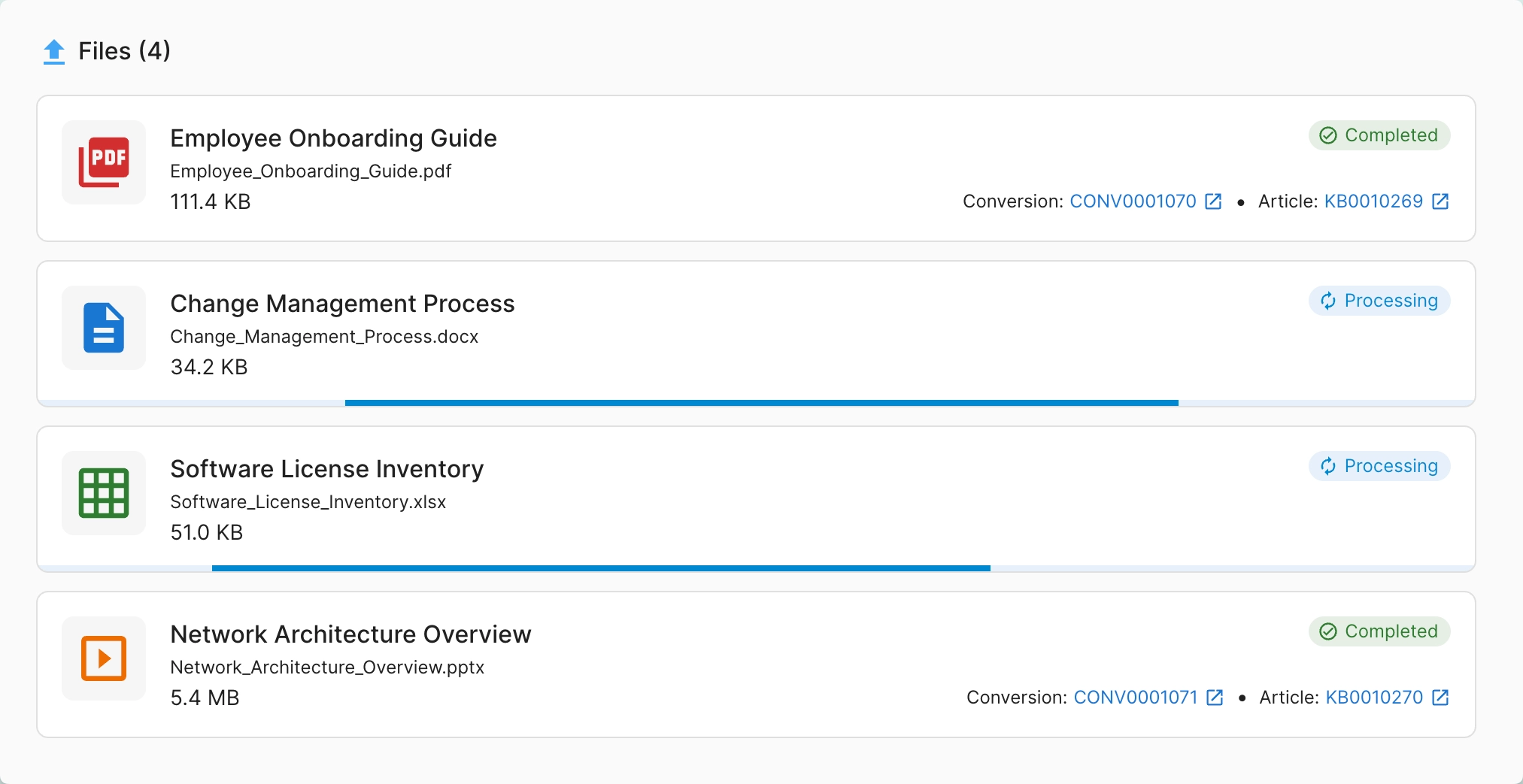
Drop a single file or hundreds at once. Each file converts in parallel with its own progress and status indicator. A failure on one file never breaks the batch.
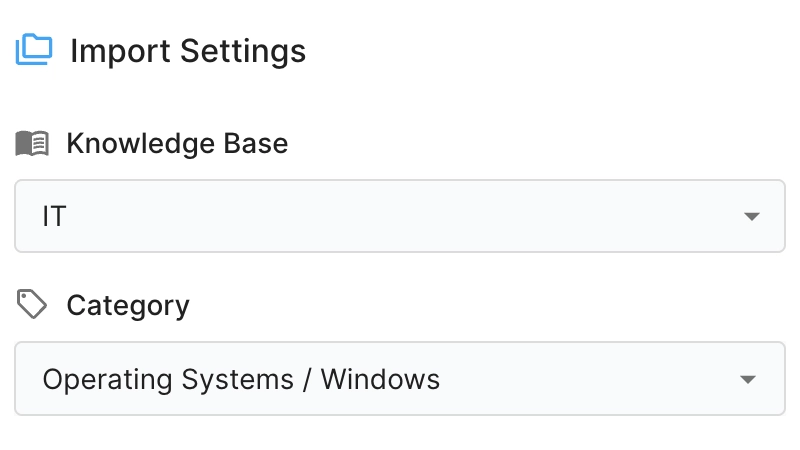
Choose the Knowledge Base and Category from cascading dropdowns. They’re pre-populated from your own ServiceNow permissions, so you can’t pick somewhere you couldn’t already publish. The article title is pre-filled from the file name and stays editable.
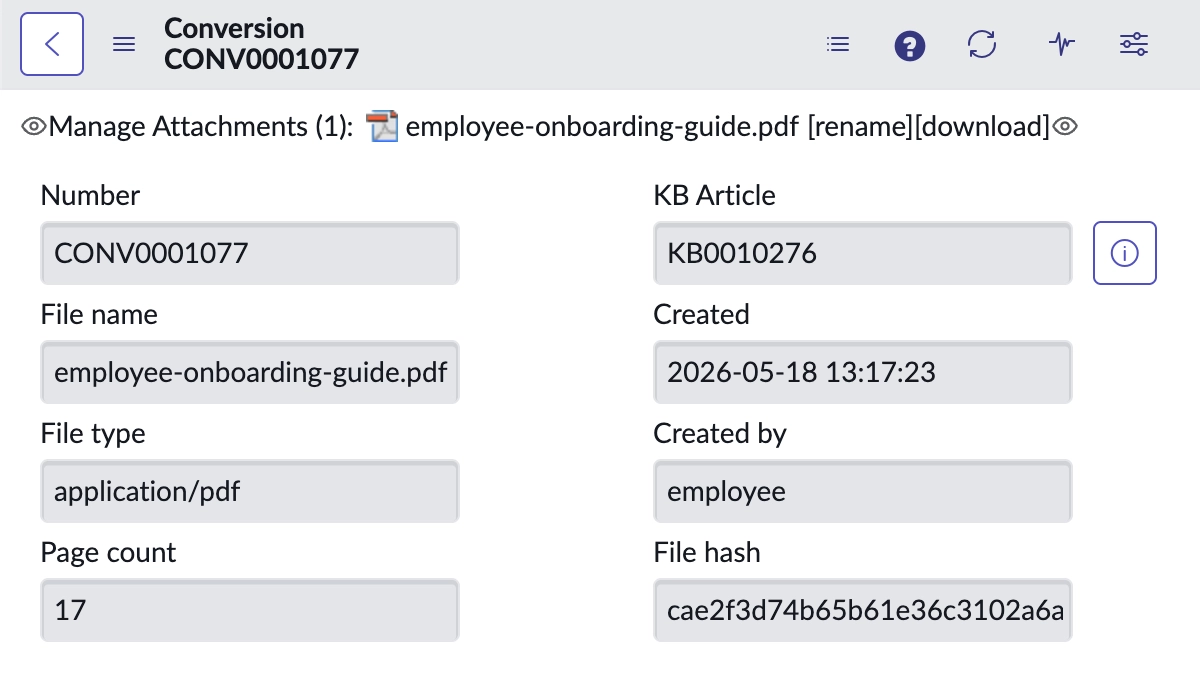
Every conversion writes an immutable audit row linking the source file (with SHA-256 hash, page count and outcome) to the resulting article. You can also attach the original file to the audit row.
Thousands of PDFs, Word docs, spreadsheets and decks scattered across SharePoint, network drives, Confluence and email. Consolidated into ServiceNow Knowledge without engaging professional services.
Bring documentation from a recently-acquired entity into the corporate Knowledge Base. Articles go into the categories your team already maintains.
Get existing documents into the platform so Now Assist, AI search and KB-grounded virtual agents have content to ground their answers in.
Run Importmate’s conversion service in our cloud, or inside your own perimeter.
Heavy parsing, OCR and layout reconstruction run on our managed conversion service on Modal. Install the scoped app and you're ready. No infrastructure to operate.
For banks, public sector and healthcare buyers with data-residency or regulatory constraints: run the same conversion service inside your own network.
Importmate is licensed by the page converted, not by seat. A one-off migration spike consumes budget proportional to its size. Steady-state usage stays low. Hosted and on-prem tiers are priced separately.
On the SaaS tier, files are sent over HTTPS to our Modal-hosted conversion service, processed in memory, and the structured HTML is returned. Content is in transit only and never stored at rest. On the on-prem tier, content never leaves your network.
One anonymised row per conversion: your instance hostname, the user’s sys_id, a SHA-256 hash of the file, page count, and success or error. No document content, no file name, no extracted text.
No. Importmate only converts files that a Knowledge Manager explicitly uploads through the import surface. There are no source-system connectors and no background sync.
No. The OOB Word import keeps working. Importmate covers the three formats it doesn’t (PDF, Excel, PowerPoint) and adds batch processing on top.
No. Importmate doesn’t introduce approval, review or retirement flows. New articles follow the workflow configured on the destination Knowledge Base, and your existing ServiceNow Knowledge Management process owns the lifecycle from there.
Importmate runs under the calling user’s ServiceNow session and existing Knowledge Management ACLs. The destination dropdowns only show Knowledge Bases and Categories you can already publish to.
Best-effort. Standard documents (body text, headings, tables, lists, images) come across cleanly. Complex layouts may need a Knowledge Manager to tidy edges in the standard KB editor before publishing.
Yes. Request access to our playground and we’ll set you up with a trial user.
Send us a PDF, Word, Excel or PowerPoint file from your own environment. We'll convert it live on a call and show you the resulting Knowledge Base article.